Fortnite Party and Game Channels: Fix the Conversation You Intended
Being in the same match does not always mean speaking in the same channel. Check the current party and communication controls before changing devices or assuming a teammate is ignoring the call.
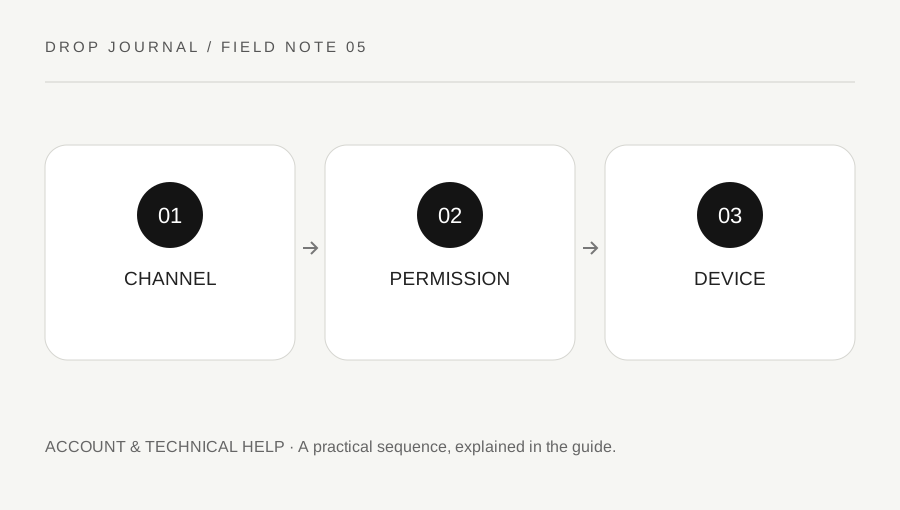
Original explanatory diagram. Examples illustrate a method or decision; they are not claims of personal testing.
Identify who should hear the message
Decide whether the conversation belongs to your party, the current game team or another supported communication context. Epic's current help page explains party, voice and text options. Read the labels in the live interface because the design can change across updates and connected Epic apps.
A friend joining a party may not automatically resolve every channel selection. Likewise, an island can use particular communication settings. Keep the intended audience clear before diagnosing a microphone problem.
Use a simple test phrase with a consenting friend in a suitable low-pressure setting. Do not broadcast private information to check whether a channel works. The useful first result is knowing which people can hear you and which channel is active, not proving that the microphone captures every sound in the room.
Check account and communication permissions
Review the available voice and text settings, including any parental or account restrictions that apply. Respect those settings rather than trying to bypass them. A restricted account may need a supported parent or guardian process, not a new microphone or an unofficial workaround.
If the intended channel is unavailable, read the current official guidance before changing several options. Party settings and island settings can affect the result differently. Record which context you are testing so that a successful lobby conversation is not mistaken for proof that every in-game channel behaves identically.
For a worked example, two friends can hear each other in the party but one cannot hear the broader game team. They inspect channel selection and account permissions first, rather than reinstalling the game based on an assumption that all voice paths are the same.
Inspect the device path only after the channel
Check the selected input and output devices, the supported voice method and ordinary system permissions. A headset connected to one device while the game uses another output can create a different issue from a muted teammate. Change one relevant setting and repeat the same test.
Keep volume comfortable and avoid making feedback by playing the microphone through nearby speakers. Do not download a random driver or give remote account access to someone promising an instant fix. Use the device maker and Epic's supported guidance for persistent technical issues.
If a specific island behaves differently, note that context. Its communication settings may explain the difference. Do not claim a global account failure from one custom experience without comparing another appropriate supported context.
Keep control over unwanted communication
Use the current mute, report and communication settings when a channel becomes disruptive. Reporting and muting are different actions; follow Epic's current instructions for the behavior and context. This website cannot submit a report or investigate a player.
Avoid escalating an abusive exchange or sharing another person's details publicly. Keep any requested evidence within the official process and review it for private information. A clear description of the observed conduct is more useful than an unsupported accusation.
Finish with a short record of channel, permission and device result. That order reduces unnecessary changes and makes a later support request clearer. Communication should support the session you intended while preserving the ability to leave or limit an unwanted conversation, rather than requiring every available channel to remain open at all times.
A practical checklist
Choices are saved in this browser. Reset them here or clear this site’s browser storage.
Questions that come up
Does being in a party prove everyone hears game chat?
No. Channel selection and permissions can differ. Test the intended communication context explicitly.
Should I bypass a parental restriction to fix voice?
No. Use the supported family or account process with the appropriate responsible person.
Does this site test my microphone?
No. It does not request microphone access. Use the game and device’s supported checks.
References & scope
Background references checked on 18 October 2026. Worked examples and diagrams are original teaching material.