Fortnite Locker Items: Check Filters, Archive and the Signed-In Account
An item missing from the visible Locker is not automatically deleted. Check the category, active filters and archived view, then confirm the account before making a purchase or changing platform links.
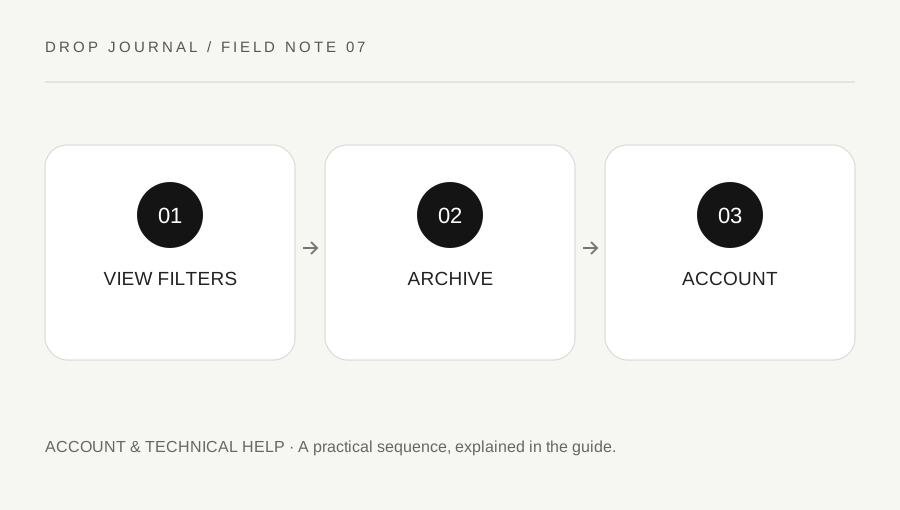
Original explanatory diagram. Examples illustrate a method or decision; they are not claims of personal testing.
Start with the current Locker view
Confirm the item type and the category you are viewing. A cosmetic can be hidden by a filter or sorting choice while remaining associated with the account. Read the visible controls rather than assuming an old screenshot matches the current interface.
Epic's Archive feature is designed to hide eligible cosmetics from ordinary views without removing them from the account. Its official help page explains the current archive and unarchive process. This is a useful first check, not proof that every missing-item issue has the same cause.
Write the item's name if you know it and the platform where you last used it. Keep purchase or account information private. Do not publish a full receipt, transaction identifier or login email merely to ask whether someone recognizes a cosmetic.
Inspect the archived category
Use the current supported filter to view archived items of the relevant type. If the item is there, follow the official unarchive action and verify that it returns to the intended view. Do not assume that selecting a different preset automatically reverses an archive state.
For a worked example, a player cannot find a back accessory while browsing the ordinary list. They clear unrelated filters, inspect the archived view and discover that it was hidden. The useful fix is restoring visibility, not buying the item again or unlinking a console account.
If the item is not in the archive, preserve that result and continue through Epic's missing-item support guidance. Repeating the same filter sequence many times does not establish a new diagnosis. Record what was checked so a later support request is concise.
Confirm the account relationship before changing it
Epic states that Fortnite items are shared across platforms linked to the same Epic account, subject to the service's current rules and item-specific context. If a familiar Locker appears empty or different, first verify the signed-in account and linked platform relationship through official settings.
Do not unlink accounts impulsively to test a guess. Linking changes can have consequences and may not solve the missing view. Use current Epic guidance for the exact situation rather than a years-old account-merging article or a stranger's shortcut.
Keep security codes, passwords and session information private. This website cannot inspect your inventory or validate ownership. A helper who asks for account access is not required to explain how filters and archive work.
Use support for an unresolved ownership issue
If the visible filters, archive and account checks do not explain the problem, contact Epic through the official route. Provide the details it requests securely and distinguish what you remember from what a receipt or account history confirms.
Avoid purchasing a duplicate or accepting an unofficial recovery service before the issue is understood. A promised item restoration from a social account is not an authorized support action. Do not use scripts or modified clients to manipulate the Locker.
Finish with a short status note: category checked, filters cleared, archive checked, account confirmed or pending. This sequence separates visibility from ownership and account access. It reduces disruptive changes while leaving the actual provider to resolve issues that require access to purchase records or entitlement information unavailable to a general guide.
A practical checklist
Choices are saved in this browser. Reset them here or clear this site’s browser storage.
Questions that come up
Does archiving delete an item?
No. Epic describes it as hiding the cosmetic while retaining it on the account. Use the supported unarchive process.
Should I unlink the console first?
No. Confirm the account and read the current linking guidance before making a potentially disruptive change.
Can this website see my Locker?
No. It has no connection to your Epic inventory or purchase history.
References & scope
Background references checked on 18 October 2026. Worked examples and diagrams are original teaching material.