Fortnite Edit-and-Reset Practice: Understand the Opening You Create
An edit can create a useful sightline or expose you to an opponent. Practice one supported edit slowly, inspect the resulting opening and learn the reset before adding speed.
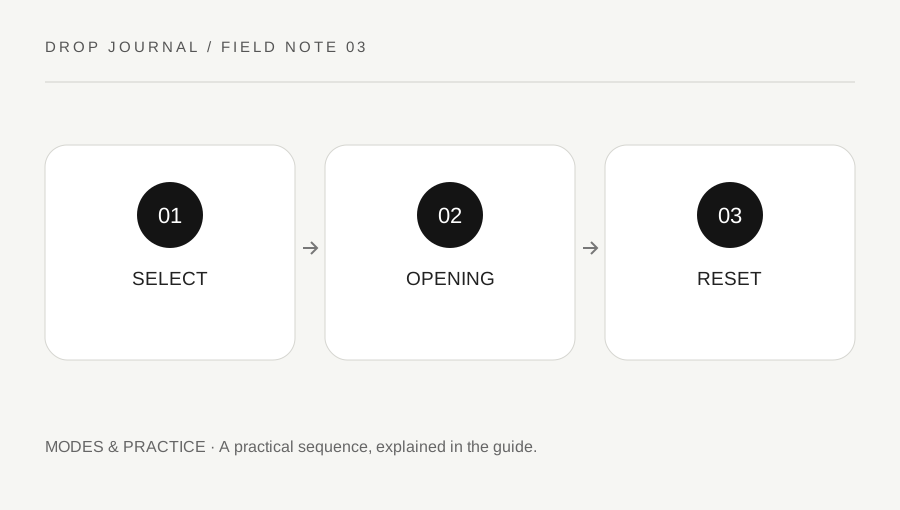
Original explanatory diagram. Examples illustrate a method or decision; they are not claims of personal testing.
Confirm the piece and controls
Use a suitable building-enabled practice environment and a piece you are permitted to edit under its current rules. Check the edit, confirmation and reset controls for your platform. Different input configurations can change the sequence, so read the current menu rather than treating a video overlay as your own binding.
Begin without an opponent and select one simple supported pattern. The purpose is understanding the selection and result, not reproducing a long advanced sequence. If the piece cannot be edited, inspect ownership and mode rules instead of assuming the input is broken.
Keep the baseline configuration available if testing a control option. Changing confirmation behavior, sensitivity and key bindings together makes it difficult to know which part caused an error. One clear sequence is easier to diagnose and restore.
Inspect what the opening exposes
After confirming the edit, stop and look at the opening from your intended position. Ask which direction you can see and which direction can now see you. An opening that gives a shot also changes protection; the two effects belong to the same decision.
Move a small amount and compare the view. A pattern that looks useful from one spot may be awkward from another. Do not assume that a familiar edit shape automatically creates an advantageous angle regardless of body position and opponent location.
For a worked example, a player opens a view while standing directly in its center. They notice that the opening exposes more of their position than intended. The correction is first to understand positioning and the chosen pattern, not merely to confirm the same edit faster.
Learn the reset as part of the same task
Return the piece to its intended closed state using the current supported reset action. Confirm visually that the result is what you expected. A motion that feels correct but leaves the opening unchanged is not a completed reset.
Practice the full cycle: edit, inspect, reset, inspect. Keep weapon selection separate until the cycle is clear, then add the return-to-weapon action deliberately. If the wrong mode remains active, note that transition rather than blaming every failure on speed.
Use a small set with a pause between attempts. Repeatedly opening and closing without checking the state can rehearse an error. A clear final state matters because later pressure depends on knowing whether you are protected, exposed or still selecting an edit.
Add pressure only after the purpose is clear
Introduce a simple target or suitable practice partner when the controls are dependable. Agree on the exercise and keep it within the environment's supported rules. The task might be creating one view, taking one deliberate action and resetting, rather than winning an unrestricted duel.
Review selection accuracy, exposure and reset separately. A correct pattern with poor positioning needs a different correction from a failed confirmation. A fast reset does not repair a shot taken through an unhelpful angle.
Finish by writing which opening you practiced, where you stood and what the reset returned to. This makes the drill repeatable without claiming one pattern is best in every encounter. Editing becomes useful when the control cycle, sightline and protection are understood together, so speed can be added to a deliberate action instead of replacing the reason for performing it.
A practical checklist
Choices are saved in this browser. Reset them here or clear this site’s browser storage.
Questions that come up
Does every piece in an island allow the same edit?
No. Ownership and island rules can differ. Check the supported behavior in the selected environment.
Is the fastest edit always the best one?
No. The opening, body position and next action matter. A fast unhelpful edit can create avoidable exposure.
Why inspect after reset?
The intended final state must actually be restored. Input motion alone does not prove the piece changed correctly.
References & scope
Background references checked on 18 October 2026. Worked examples and diagrams are original teaching material.